Enterprise scale. Human instinct. AI intelligence.
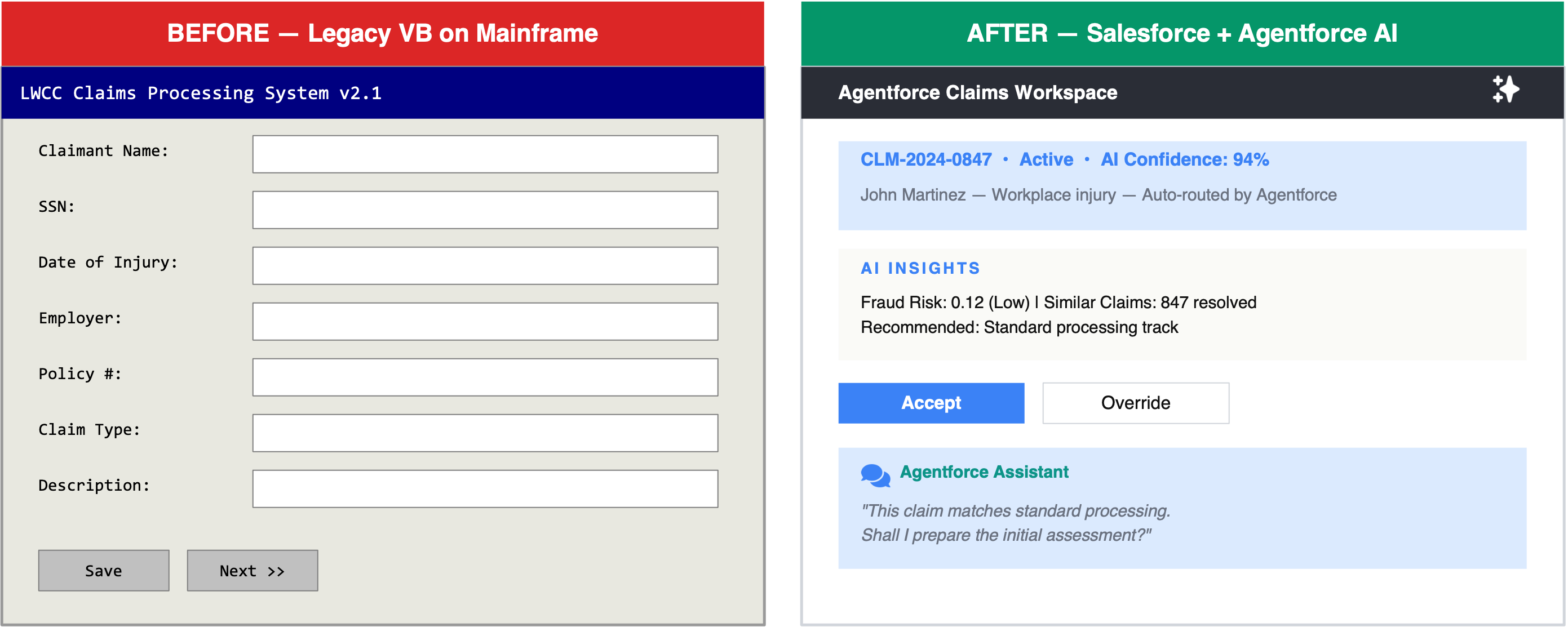
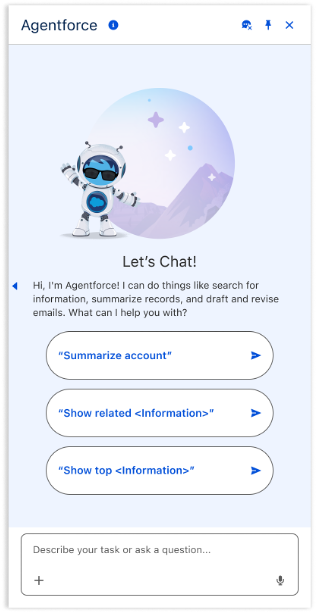
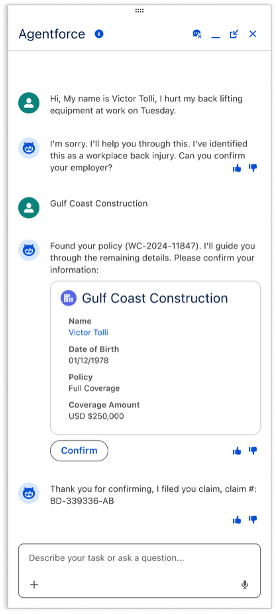
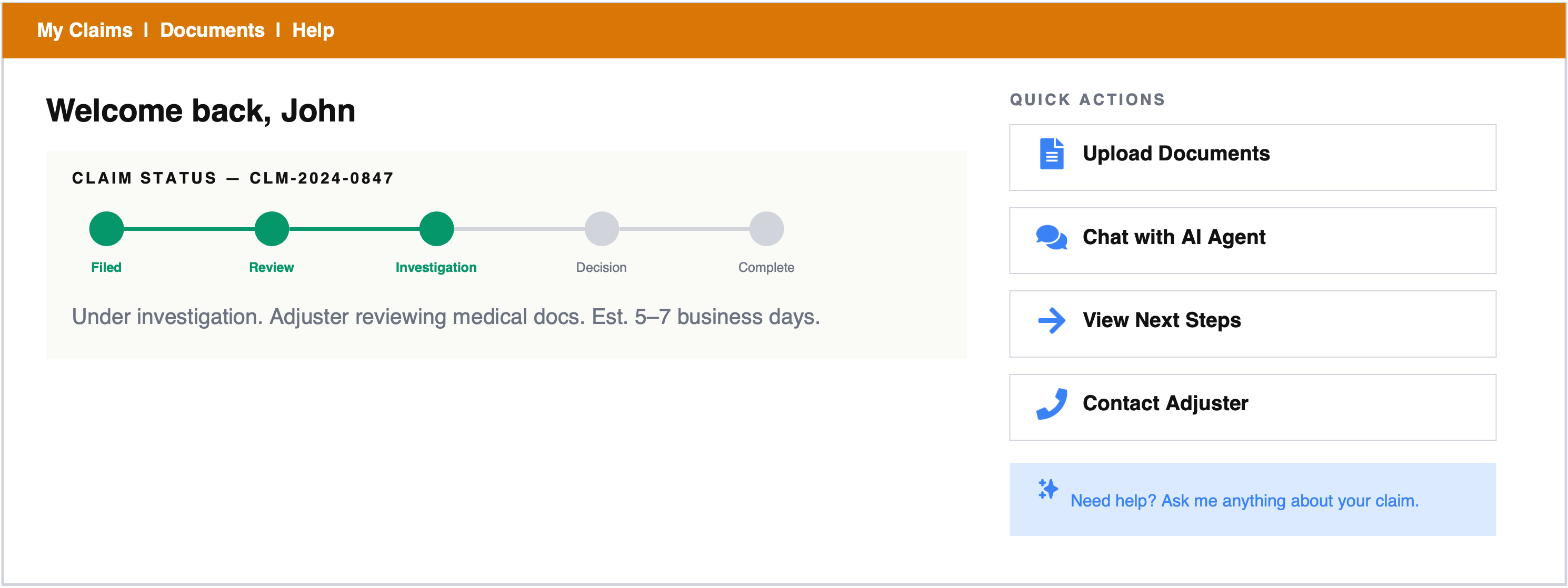
From global UX delivery across 3 continents to building large design organizations at Fortune 100 companies. Now focused on AI-native and conversational AI design, defining autonomous agents, and trust frameworks that keep humans in control.
Design Philosophy
What
What they do
Understand the user's actual task — not the AI feature. Design for the job-to-be-done: AI invisible when working well.
Why
Why they do it
The intent and motivation behind every action. Explainability & trust — users and AI must share intent.
How
How they do it
Workflows, tools, and mental models. Human-agent collaboration — who controls what, where the handoffs happen.
When
When they do it
Context, timing, urgency. Proactive vs. reactive — when agents act autonomously vs. defer to humans.
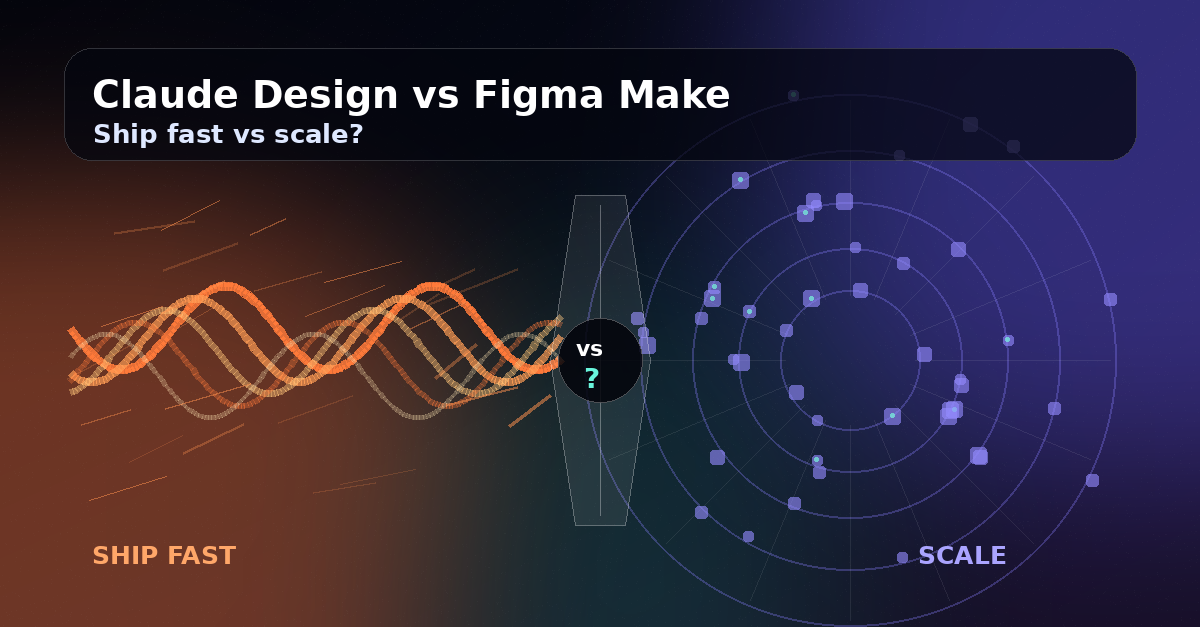
Two AI design tools have separated themselves from the noise. Claude Design closes the loop from prompt to production. Figma Make scales with mature design systems. Match the tool to the moment.
Read more →
Feb 27, 2026
The Biggest Design Brief of Our Lives
A longer piece on what it means to design at a moment when the rules are being rewritten. Pour something warm and settle in.
Read more →
Feb 23, 2026
AI-Generated Personas: Helpful Shortcut or Dangerous Fiction?
When AI creates detailed user personas with rich backstories, are we gaining efficiency or losing the truth?
Read more →
Feb 12, 2026
JTBD: A Best Way to Keep AI Honest
AI has reduced output costs dramatically — but the real pressure is now on clarity and decisions. Jobs-to-be-Done can help.
Read more →
Feb 4, 2026
Leading UX Teams in the AI Era: What Changed and What Didn't
AI accelerated UX work from weeks to days. But the fundamentals of leading design teams haven't changed at all.
Read more →
Jan 29, 2026
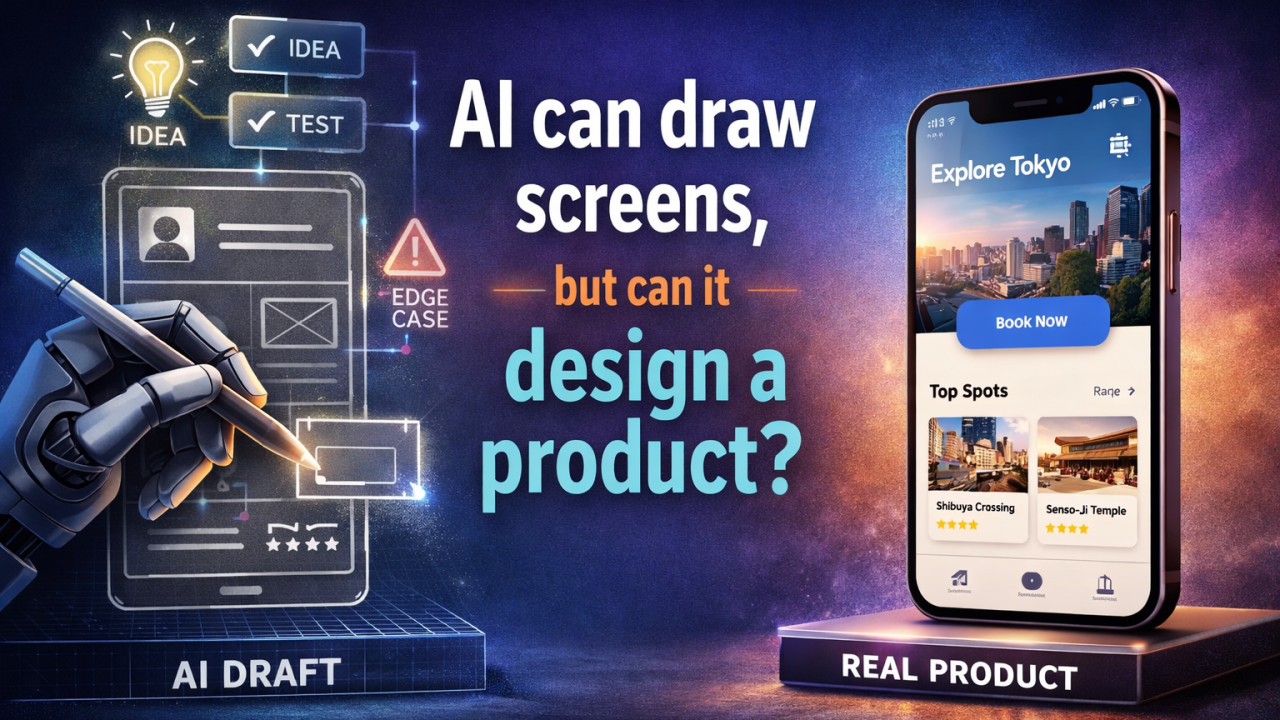
AI Can Draw Screens, but Can It Design a Product?
AI-generated screens look polished. But product design is about decisions, trade-offs, and context that no model can see.
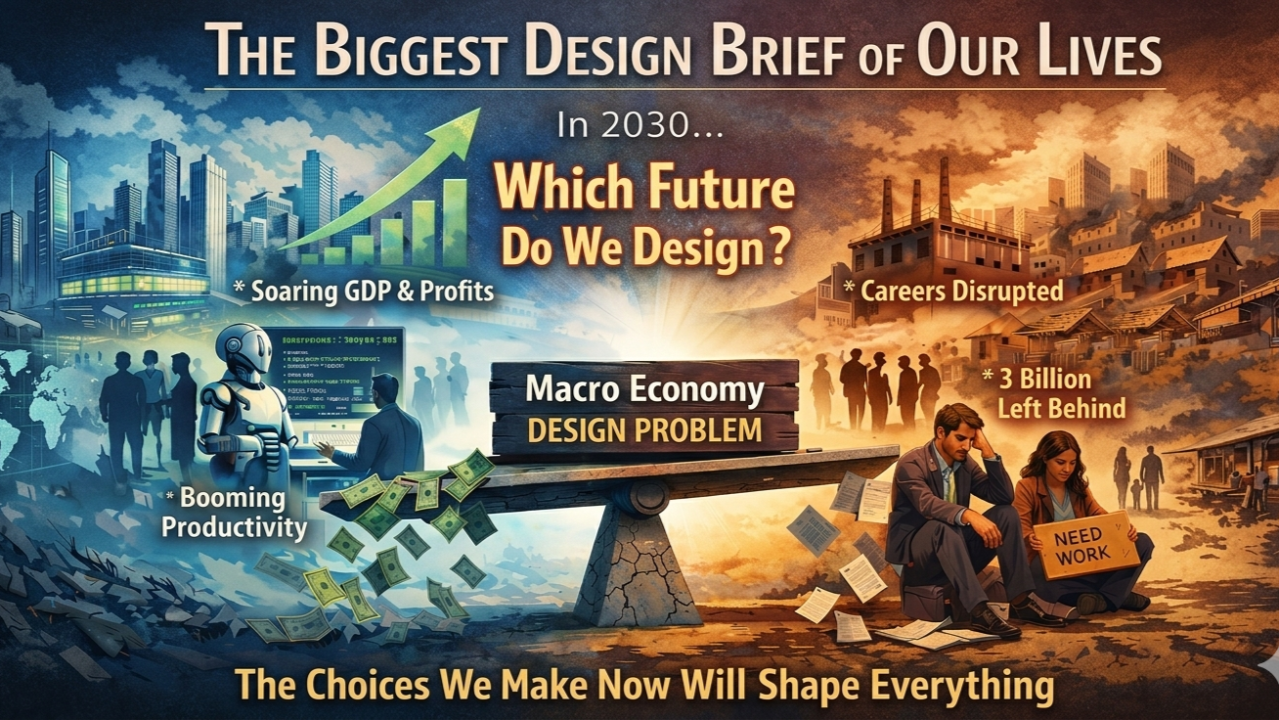
In 2030 (or so), the global economy will post its strongest productivity numbers in decades. GDP will climb. Profit margins will widen. And roughly 3 billion people will be trying to figure out what happened to their careers. Both of these things will be true at the same time, caused by the same technology, and no one in a position of power will see a contradiction.
That’s the version of AI’s economic story that’s hardest to talk about honestly, not whether the technology works, but who it works for. The macro numbers will look great. The reality underneath them could be unrecognizable. But here’s what I believe most commentators are getting wrong: this isn’t a predetermined outcome. It’s a design problem — “Macro Economy design problem”, and design problems have solutions — if we’re honest enough about what we’re solving for.
The productivity question — reframed
AI is already delivering real productivity gains. Code ships faster, reports are getting drafted with 1 line prompt, customer queries resolve without a human touch. By the narrow lens of output-per-hour, the numbers are impressive and accelerating.
The risk is familiar. The last comparable surge — the internet era — saw GDP grow and corporate profits soar while median household income flatlined. The value went somewhere. It just didn’t go everywhere. AI could sharpen this pattern: when AI automates a $90,000 a year task with a $24.99 AI Agent, the value migrates upward to the company, the platform, the investors.
But this time, we’re not walking in blind. We have thirty years of data on how technology-driven productivity gains can fail to reach the broader economy and a growing body of serious thinking on how to prevent that. The question isn’t whether AI creates value — it is obviously doing that already. The question is whether we can build the mechanisms to re-distribute it. That’s a policy challenge, not a technology problem, and policy challenges are things humans are actually good at solving when the stakes are clear enough.
The middle class — compressed
The middle class in developed economies was built on skilled but replicable work: accounting, project management, underwriting, mid-level development. AI compresses these categories, not by eliminating the jobs outright, but by letting one person do what previously required 3 (or 5 in some cases).
That compression is real and disruptive. But it also creates an opening. When AI handles the routine seventy percent, the humans who remain do the work that actually requires judgment, creativity, and contextual intelligence — the work most people find more meaningful. The transition is painful, but the destination could be a middle class that’s defined by higher-value, more engaging work rather than routine execution.
Conflict, fragility, and why AI’s economic role is much bigger
The geopolitical landscape is the most volatile it’s been since WW2. Wars destroy economic capacity — infrastructure, supply chains, human capital, consumer confidence. The global economy is absorbing these shocks simultaneously, and the cumulative drag is enormous.
AI may be one of the few forces powerful enough to rebuild economic capacity at the speed and scale these crises demand. AI-driven logistics can re-route shattered supply chains. AI-augmented medical systems can address healthcare infrastructure destroyed by conflict. AI-powered education platforms can reach displaced populations. The same technology that threatens to concentrate wealth could, if directed well, become the most powerful reconstruction and development tool in history.
Developing economies — the “skip a generation” opportunity
Mobile banking transformed financial inclusion in East Africa without those countries ever building a traditional banking infrastructure. AI could do the same for legal services, healthcare, education, and market access. A designer in Lagos with the right AI tools already competes with agencies in London. If the architecture of AI remains open enough — and that’s a big “if” worth fighting for — the global south doesn’t have to be left behind.
Re-skilling — honest and hopeful
The skills that matter most in an AI-augmented economy — adaptability, judgment, creativity, domain expertise — are deep human skills that people already possess in different forms. For the first time, the technology creating the shift is also making it dramatically easier to learn. AI tutoring that adapts to how each individual thinks. Simulation environments for practicing new skills without financial risk. AI simultaneously creates the demand for new capabilities and lowers the barrier to acquiring them.
What we owe each other, and why I’m optimistic
The generation entering the workforce today has something no previous generation had during a technological revolution: a real-time conversation about how to get it right. The discussion about distribution, transition, and equity is happening alongside AI’s development — not decades after the damage is done.
To everyone reading this: the economy AI builds will be the economy we design it to build. The choices we make in the next 3–5 years about our workforce, our supply chains, our communities will shape whether AI becomes the most inclusive economic engine in history or a tool that served the few instead of the many. That’s not a burden. It’s the most consequential design brief of our lifetimes, and it’s ours.
Feb 23, 2026
AI-Generated Personas: Helpful Shortcut or Dangerous Fiction?
A designer presents personas in a product review. The persona is crisp, detailed, has a name, a face, and a list of frustrations that sound eerily familiar. Someone asks: “Where did this come from?” “AI generated it from our audience brief.” The room nods. The deck moves on.
A fiction just got baked into your product definition.
The Core Problem
A persona is only as honest as the data behind it. When AI generates one from a vague brief, it doesn’t synthesize real humans. It pattern-matches from training data, shaped entirely by what your prompt assumed in the first place.
You’re not creating a user. You’re creating a mirror of what your team already believes. That’s not research. That’s confirmation bias with a stock photo face.
Are AI-Generated Personas Useless?
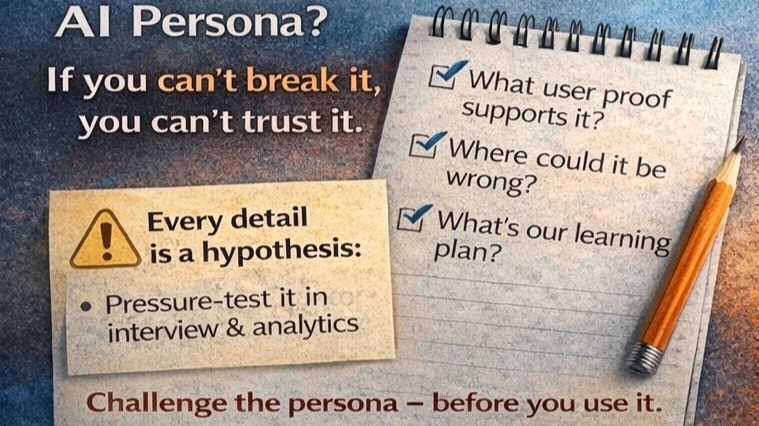
No. They work best as starting hypotheses, never finished artifacts. They’re fast alignment tools — a way to pressure-test what your team thinks is true before validation. Think of them like rough sketches: a provocation that earns its place by being challenged, not by being trusted.
The danger isn’t in generating them. The danger is stopping there.
Common Persona Mistake
A team generates a persona on Monday. By Wednesday it’s baked into the design. Six months later, new joiners reference it as research. Product decisions are made against a fictional user that no one has questioned since creation. Nobody lied. Nobody was lazy. They confused speed with accuracy, and the persona quietly became the source of truth it was never meant to be.
What Good Actually Looks Like
Generate the persona fast with AI to understand the user at a high level, then take it into user interviews — not to confirm it, but to break it. Every detail the AI provided is a hypothesis. Your job is to disprove it before designing around it.
The best use of an AI persona isn’t as an answer. It’s as a question.
The Future of Design
The designers who thrive in the AI era won’t be the ones who generate faster. They’ll be the ones who question smarter. Personas exist to build empathy. You can’t outsource empathy to a model that has never met your user.
Use AI to start the conversation. Make sure a real human finishes it.
Feb 12, 2026
JTBD: A Best Way to Keep AI Honest
JTBD, explained without the jargon wall
A job is the progress a user is trying to make in a real situation. Not a feature request. Not a persona trait. Not a UI preference.
“When… I want to… so that I can…”
Outcomes vs solutions — Users rarely want your solution. They want the outcome. Example: Outcome: “Feel confident I won’t be charged unexpectedly.” Solution: “Clear billing date, cancellation terms, and a confirmation step.”
Where AI helps with JTBD
Draft job statements from raw research: Interview notes, support tickets, app reviews — AI can turn that mess into first-pass jobs your team can critique.
Generate job hypotheses + edge cases: Adjacent jobs, “Why now?” triggers, competing motivations, edge cases that break the happy path.
Map jobs to journey stages: Onboarding jobs, evaluation jobs, commitment jobs, recovery jobs.
Suggest solution directions tied to jobs — not trends. JTBD ensures patterns serve outcomes instead of “modern UI vibes.”
Where AI misleads
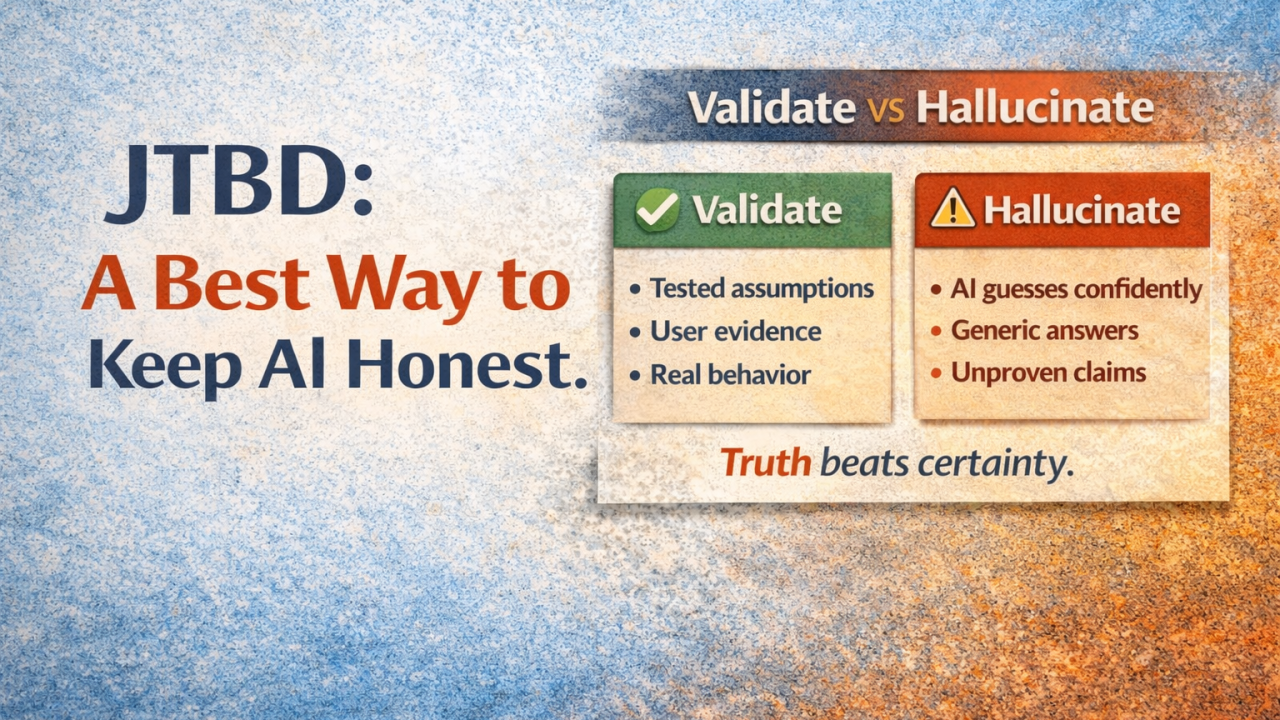
Hallucinated certainty: AI will state assumptions like facts unless you force it to show evidence.
The “average internet job”: Without your user data, AI tends to output generic jobs like “save time” or “stay organized.” Often true. Rarely useful.
Skipping validation because it sounds right: The silent failure mode — clean job statements that haven’t earned credibility.
JTBD + AI workflow: Generate → Validate → Tailor
Generate: Job statements, job map across the journey, outcome list per job. Goal: breadth and structure, not perfection.
Validate: Assumptions list, validation plan, evidence links. Goal: separate “sounds plausible” from “true for our users.”
Tailor: Constraints & risk notes, edge case map, decision notes. Goal: turn a generic draft into something intentional and differentiated.
How companies differentiate when everyone has AI
When everyone can generate screens, UI becomes easy, so differentiation comes from: job insight, confidence moments, edge-case handling, and coherent system behavior. AI can accelerate drafts. But companies win by designing experiences that feel intentional, not “assembled from defaults.”
JTBD keeps teams anchored in the why. AI accelerates the what. But the “what” only matters if it’s validated and tied to real outcomes.
Feb 4, 2026
Leading UX Teams in the AI Era: What Changed and What Didn’t
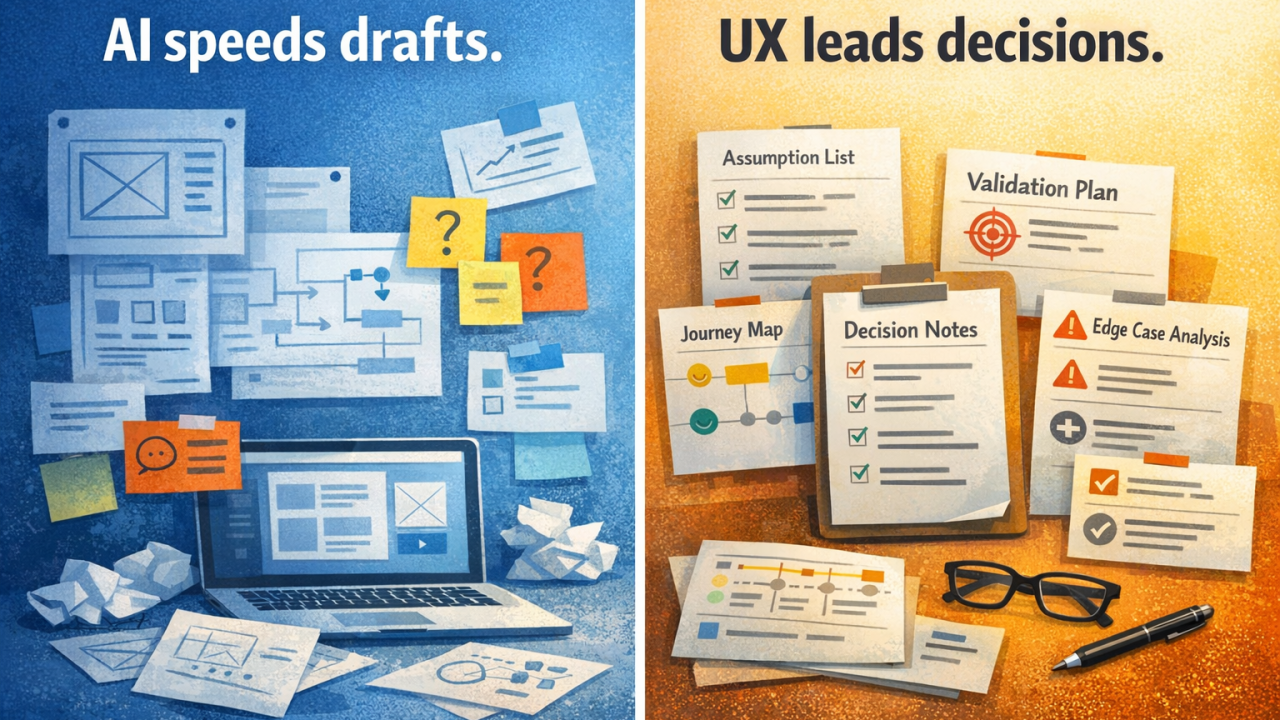
AI has truly brought in speed to UX design — work that used to take weeks is now being done in days, and at occasions, hours. What’s changing most is the nature of the work: artifacts are faster; clarity and decisions are the new pressure point.
With AI taking care of more of the drafting, UX teams are now responsible for holding the line on:
Problem framing — are we solving the right thing?
Assumption checking and validation — is this true for our users?
Edge cases and recovery — what happens when things go wrong?
Coherence and differentiation — does this feel like our product, not a template?
I start the day by reviewing “what we think we know,” not screens
When drafts are easy and quick, it’s easy to jump to UI. But if the inputs are weak, you just move faster in the wrong direction. So I ask to see: the top research themes with supporting evidence, contradictions and edge cases, what’s still unknown, and what we’re validating next.
I push problem framing harder than ever
AI makes it easy to skip straight to solutions. That’s a temptation — and a trap. Before I talk UI, I want clarity on the basics through my 4 probing questions: What they do? Why they do it? How they do it? When do they do it?
I ask for option sets early, because AI made options cheap
I don’t want five cosmetic variations. I want structurally different approaches. So I ask for 3 distinct flow options, tradeoffs of each option, and what must be true for each to work. This keeps the team from locking in too early.
I review “confidence moments,” not just happy paths
AI-generated wireframes usually work fine for the happy path, but are weak everywhere else. So I’ve started explicitly reviewing for: where will users hesitate? Where do they need reassurance? What happens when the system is wrong? How does the user recover?
The biggest change: I coach editorial judgment
When AI does the first 60% of drafting, the designer’s skill becomes: problem framing, prioritization, assumption checking, edge-case thinking, and coherence across the product.
AI will give you screens. UX designers and leaders make sure the screens deserve to exist.
AI doesn’t speed up: validating truth with real users, hard tradeoffs, stakeholder alignment, making the experience coherent at scale.
The future headline isn’t going to be “AI replaces designers.” It will be “AI raises the floor and raises the bar for judgment.”
Jan 29, 2026
AI Can Draw Screens, but Can It Design a Product?
Instead of starting with a blank frame, designers now have the option to begin with AI-generated layouts, prebuilt flows, suggested components, and patterns that resemble every other modern app. The real question isn’t whether designers should use AI wireframes — it’s what happens to product quality when teams treat initial screen designs as near-final versions.
OOTB AI Wireframes: The Upside
Faster exploration: Multiple viable directions can be generated quickly for onboarding flows, settings screens, empty states, and dashboards.
Good default hygiene: Spacing, hierarchy, and component consistency are often adequate from the start.
Less time on layout details: Design effort shifts from “nudging rectangles” to meaningful decisions about information architecture, messaging, and interaction flow.
The Hidden Cost: Pattern Monoculture
The real risk isn’t low-quality AI outputs — it’s that they’re average in identical ways. AI recombines the internet’s most common solutions to standard problems, resulting in identical-looking onboarding experiences, homogeneous dashboards, “best practices” becoming “only practices,” and differentiation limited to surface-level elements.
AI vs. Design: A Useful Framework
AI can draft the UI, but it can’t draft the model. Start with four foundational questions:
What do users do?
Why do they do it?
How do they do it?
When do they do it?
Without a strong mental model, a polished AI interface merely makes confusion feel finished.
A Practical Three-Step Workflow
1. Generate
Use AI to create rough flows, layout options, and component combinations. Aim for breadth: 3–5 variations.
2. Evaluate and Validate
What’s the primary job-to-be-done on this screen? If it’s not obvious in 3 seconds, discard it.
Where does the user need confidence beyond mere clarity?
What interaction differentiates this product?
3. Tailor
Tailoring means adapting to real users, product strategy, brand meaning, and risk management — not just swapping colors and icons. The final output should shed its templated feel because the flow reflects your specific users and constraints.
What Separates Excellent Designers
Designers who thrive won’t be those who produce the cleanest wireframes fastest. They’ll be those who can examine a “perfectly adequate” AI layout and explain: “This will fail for our users, for specific reasons we can articulate.”
AI can draw screens, but it can’t design a product — at least yet!
Apr 28, 2026
Claude Design vs Figma Make = Ship fast vs Scale?
Two tools have separated themselves from the AI design noise this month.
Claude Design. Figma Make.
They’re not competing for the same job — and that’s exactly why both deserve your attention.
Figma’s stock fell 7% the day Claude Design launched. Markets aside, what these tools do is what matters.
Claude Design — closing the loop from idea to production
Claude Design is the most ambitious entry into the AI design space yet, and it earns the attention.
You describe what you need. Claude builds it. You refine through conversation, inline comments, or live adjustment sliders. Familiar so far.
What sets it apart is what happens after the design is done. Claude packages the full output — design system, components, structure — into a handoff bundle and passes it straight to Claude Code for implementation.
A closed loop from prompt to production code. No other tool in this space has delivered that cleanly.
Where it shines:
Idea-to-prototype speed. Brilliant’s team reported that pages requiring 20+ prompts in other tools needed just 2 in Claude Design.
Reading existing systems. It extracts a design system directly from your codebase, so outputs match what’s already shipping.
Non-designer enablement. Founders, PMs, and marketers can produce on-brand visual work without pulling a designer into every cycle.
Production handoff. The bundle-to-Claude-Code path is the cleanest design-to-code workflow in the market right now.
If you’re a small team, an early-stage startup, or any group where the gap between idea and shipped product is the bottleneck — this is the tool to watch most closely.
Figma Make — built for design systems and team scale
Figma Make is the AI builder that lives inside the ecosystem your team already uses.
Its real edge is how seriously it takes the rest of your work. Make Kits pull in your actual code, styles, and tokens — so AI output isn’t generic, it looks like your product. Make Attachments feed PRDs, brand guidelines, and data files alongside your prompt, so context shapes the output rather than just description.
Where it shines:
Brand-consistent generation. AI output that respects your existing system from the first generation.
Design system maturity. Other tools start from scratch. This one starts from yours.
Team scaffolding. Comments, components, libraries, version history — everything you’ve already built continues to apply.
For mature product teams running real design systems at scale, this remains the path of least resistance. The new AI capabilities don’t ask you to abandon what’s working — they extend it.
One more worth watching: Google Stitch
Stitch isn’t quite production-ready yet, but it has real potential.
It generates high-fidelity UI from text or voice prompts, produces multi-screen flows, and is free — which has accelerated adoption. The output is uneven and the workflow doesn’t yet integrate cleanly with most production environments. But the velocity Google is shipping at suggests this could change quickly. Worth keeping on the radar, not yet worth building your team around.
Common Design Tool Mistake
Switching tools without changing the workflow they sit inside. A team adopts Claude Design or Figma Make — and still runs the same review → handoff → revision cycle they always have. The tool changes overnight. The process doesn’t. The result isn’t less friction; it’s different friction, layered on old assumptions about how work moves. Tools change in a day. Workflows take longer. Plan for both.
So which one should your team use?
It depends entirely on what you’re optimizing for.
Pick Claude Design when you’re building fast, your team is small or non-traditional, and the bottleneck is the gap between idea and shipped product. The closed loop to Claude Code is genuinely differentiated, and it works best when you have fewer collaboration handoffs to navigate.
Pick Figma Make when you’re running mature design systems, your team is large and cross-functional, and the bottleneck is consistency at scale rather than speed of generation. Figma’s existing scaffolding becomes a feature, not a friction.
For most teams reading this, the honest answer is both — Claude Design for early exploration and rapid prototyping, Figma Make for the long arc of product work. The teams getting ahead aren’t choosing one over the other. They’re matching the tool to the moment.
What neither tool changes:
They accelerate execution. They do not accelerate thinking.
Claude Design ships from prompt to production in two conversations — but cannot tell you whether what’s being shipped deserved to be built at all. Figma Make produces on-brand output instantly — but cannot tell you whether the brand itself is right for your audience.
The judgment behind every design decision — the why that no prompt can produce — is exactly where UX leaders need to be investing right now.
Claude Design and Figma Make don’t make designers redundant. They make shallow designers redundant.
The practitioners who thrive won’t be those who resist these tools or those dazzled by them. They’ll be the ones who use each tool exactly where it shines — and bring irreplaceable human judgment to everything in between.
Execution is being automated. Judgment is not.
Two AI design tools are now genuinely worth integrating into how your team works. Which one is your team leaning toward?